Sprinkler
Project[edit | edit source]
| OsProject | |
|---|---|
 edit | |
| id | com.bitplan.sprinkler |
| state | |
| owner | BITPlan |
| title | software for sprinkler control / water irrigation system based on weather and other parameters |
| url | https://github.com/BITPlan/com.bitplan.sprinkler |
| version | 0.0.1 |
| description | |
| date | 2018-08-20 |
| since | |
| until | |
Manual / Help[edit | edit source]
Please go to the Manual / Help page for more details.
Requirements[edit | edit source]
See also
- https://gardening.stackexchange.com/questions/41255/calculating-amount-of-water-needed-per-day-based-on-weather-and-other-parameters
- open issues on github
- implemented issues on github
- The System shall sprinkle if the lawn needs water
- The System shall sprinkle in the morning no earlier than configured
- The System shall sprinkle in the evening no later than configured
- The System shall sprinkle as often per day as configured
- The System shall collect rain data from a weather service
- The System shall be able to read weather data from the openweathermap api
- The System shall operate by simply switching on and off a garden pump at appropriate times
- The System shall determine the amount of irrigation needed based on the weather and the configuration data
- An Administrator shall be able to configure the system by setting
- coordinates of the location where the system is operated lon/lat
- l/minute the sprinkler deploys when switched on
- earliest time in the morning the system may sprinkle
- latest time in the evening the system may sprinkle
- number of times per day the system shall sprinkle if needed
- size of area to being sprinkled
- average l/day beeing evaporated per day by non lawn plants (e.g. trees)
- A user shall be able to arm/disarm the system
- A user shell be able to see the system operation log
- The system operation log shall show the amount of water that has been irrigated as an equivalent mm rain / day and the total liters for the area
- The system shall read a list of weather locations from the openweather api
- The system shall (initially) have a simple command line interface
Use cases[edit | edit source]
Diagrams error (with plantuml command): cp: missing destination file operand after '/tmp/diagrams_in47ae5815af34.png' Try 'cp --help' for more information.
configure system[edit | edit source]
As an administrator I'd like to configure the system.
arm / disarm system[edit | edit source]
As a user I'd like to arm/disarm the system. When the system is armed it will automatically sprinkle. If the system is disarmed only manual operation of the sprinkler is possible.
System context[edit | edit source]
Diagrams error (with plantuml command): cp: missing destination file operand after '/tmp/diagrams_in023eebcd26c9.png' Try 'cp --help' for more information.
Packages and Classes[edit | edit source]
Diagrams error (with plantuml command): cp: missing destination file operand after '/tmp/diagrams_inf11348e16bd2.png' Try 'cp --help' for more information.
How much and how often?[edit | edit source]
- Watering Home Lawns and Landscapes - CIS 1098 - University of Idaho College of Agricultural and Life Sciences
- Watering Home Lawns: How Much and How Often - CIS 1157 - University of Idaho Extension
- https://bestplants.com/lawn-watering/
- http://www.greengrassok.com/greengrass-services/how-to-water-your-lawn
German[edit | edit source]
- https://rollrasen.eu/service/rasenpflege/
- http://www.daserste.de/unterhaltung/quiz-show/wer-weiss-denn-sowas/videos/wer-weiss-denn-sowas-folge-207-rasen-waessern-video-100.html
- https://www.sat1.de/ratgeber/wohnen-garten/gartengestaltung/rasen-bewaessern-wie-oft-und-viel-ihr-gruen-vertraegt
- https://www.mein-schoener-garten.de/gartenpraxis/ziergaerten/rasen-richtig-bewaessern-6651
- https://www.gartenjournal.net/rasen-sprengen
- https://www.viking.at/schoenthaler-richtiges-bewaessern-Rasen-hochsommerliche-temperaturen.aspx
- https://www.rasen-experte.de/rasen-bewassern-wie-viel-wasser-rasen/
Hardware example[edit | edit source]
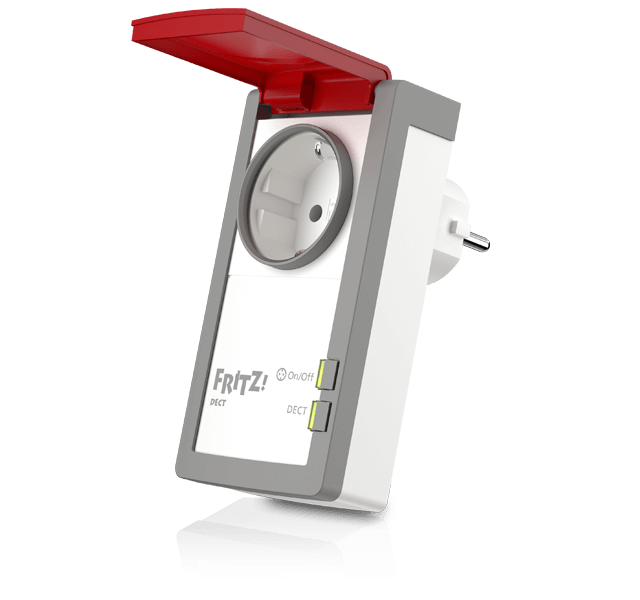
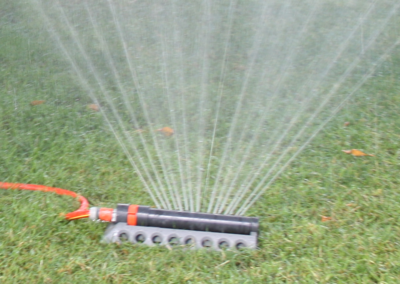
The system assumes that your sprinkler is controllable via a simple power on/power off mechanism. This is true for quite a few situations where your sprinkler is operated via a garden pump.
Software controllable power switch[edit | edit source]
https://avm.de/fileadmin/user_upload/Global/Produkte/FRITZDECT/210/fritzdect_210_left_de_640x600.png AVM Fritz DECT 210
Installation[edit | edit source]
Download jar (OS independent) or exe (Windows) file from https://github.com/BITPlan/com.bitplan.sprinkler/tree/master/release
Try it out[edit | edit source]
java -jar sprinkler.jar -h
should show the available command line parameters
Rainforecast[edit | edit source]
java -jar sprinkler.jar -rf
2018-08-06 15:00:00 1.62 mm
2018-08-06 18:00:00 3.66 mm
2018-08-06 21:00:00 2.63 mm
2018-08-07 00:00:00 0.32 mm
2018-08-07 03:00:00 0.0 mm
2018-08-07 06:00:00 0.0 mm
2018-08-07 09:00:00 0.0 mm
2018-08-07 12:00:00 0.0 mm
2018-08-07 15:00:00 1.14 mm
2018-08-07 18:00:00 0.31 mm
2018-08-07 21:00:00 0.0 mm
2018-08-08 00:00:00 0.0 mm
2018-08-08 03:00:00 0.38 mm
2018-08-08 06:00:00 1.52 mm
Configuration[edit | edit source]
A minimal configuration file "default.json" looks like this:
{
  "appid": "<insert your openweathermap api key here>",
  "location": { "id": 2887186 }
}
First you might want to get an appid from openweathermap. You can find the id of your nearest location with some of the geo calls of the API: https://openweathermap.org/current#geo
Libraries used[edit | edit source]
Icons Attribution[edit | edit source]
 Icon made by Freepik from www.flaticon.com
 Icon made by Gregor Cresnar from www.flaticon.com
 Icon made by Smashicons from www.flaticon.com