Raspberry PI Chessboard Camera: Difference between revisions

From BITPlan Wiki
Jump to navigation Jump to search
No edit summary
 
(17 intermediate revisions by the same user not shown)
Line 1: Line 1:
= Chessboard Move Recorder =
see e.g. https://chess.stackexchange.com/questions/4695/tools-for-automated-notation-webcam-movie-to-pgn/26643#26643
== Motivation ==
see {{Link|target=MagneticSensorChessBoard1987}}


= Parts List =
= Parts List =
Line 52: Line 54:
* {{Link|target=Raspberry PI WebCam}} for the WebCam installation.


= Projects =
{{:WebCamBasedChess}}
== CV_Chess ==
Trying out the CV_Chess project from https://classes.engineering.wustl.edu/ese205/core/index.php?title=CV_Chess
Fork of it at:
* https://github.com/WolfgangFahl/ESE205-CVChess/
=== Installation ===
<source lang='bash'>
git clone  https://github.com/WolfgangFahl/ESE205-CVChess/
./installOpenCV
./install
</source>
=== Test ===
<source lang='bash' highlight='1,10'>
./test
============================= test session starts ==============================
platform linux -- Python 3.7.3, pytest-5.2.1, py-1.8.0, pluggy-0.13.0
rootdir: /home/wf/source/python/ESE205-CVChess
collected 2 items                                                             


test_camera.py .                                                        [ 50%]
test_webcam.py .                                                        [100%]
============================== 2 passed in 3.87s ===============================
</source>
=== Preview ===
<source lang='python'>
# see https://opencv-python-tutroals.readthedocs.io/en/latest/py_tutorials/py_gui/py_video_display/py_video_display.html
import numpy as np
import cv2
cap = cv2.VideoCapture(0)
while(True):
    # Capture frame-by-frame
    ret, frame = cap.read()
    # Our operations on the frame come here
    #gray = cv2.cvtColor(frame, cv2.COLOR_BGR2GRAY)
    # Display the resulting frame
    cv2.imshow('Camera',frame)
    if cv2.waitKey(1) & 0xFF == ord('q'):
        break
# When everything done, release the capture
cap.release()
cv2.destroyAllWindows()
</source>
start the above code - stop by pressing 'q'
<source lang='bash' hightlight='1'>
python3 preview.py
</source>
[[File:chesspic2019-10-15_1627.png|400px]]
=== Run ===
<source lang='bash'>
./run
</source>
[[File:CV_ChessStep1.png|240px]]
[[File:CV_ChessStep2.png|240px]]
[[File:CV_ChessStep3.png|240px]]
[[File:CV_ChessStep4.png|240px]]
[[File:CV_ChessStep5.png|240px]]
[[File:CV_ChessStep6.png|240px]]
[[File:CV_ChessStep7.png|240px]]
[[File:CV_Chess_Identified.png|400px]]
=== Project details ===
The project was an effort of some 200 hours
See also https://classes.engineering.wustl.edu/ese205/core/index.php?title=CV_Chess_Logs
=== Code Structure ===
Click classes to view source code
<uml>
  hide circle
  class ChessEng [[https://github.com/WolfgangFahl/ESE205-CVChess/blob/master/ChessEng.py]] {
    updateMove(move)
    feedToAI()
  }
  class Board [[https://github.com/WolfgangFahl/ESE205-CVChess/blob/master/Board.py]] {
    draw(image)
    assignState()
    determineChanges(previous,current)
  }
  class Game [[https://github.com/WolfgangFahl/ESE205-CVChess/blob/master/Game.py]] {
    setUp()
    analyzeBoard()
    checkBoardIsSet()
    playerMove()
    playerPromotion()   
    CPUMove()
    updateCurrent()
  }
  class Camera [[https://github.com/WolfgangFahl/ESE205-CVChess/blob/master/Camera.py]] {
    takePicture()
  }
  class Square [[https://github.com/WolfgangFahl/ESE205-CVChess/blob/master/Square.py]]{
    draw(image,color,thickness)
    drawROI(image,color,thickness)
    roiColor(image)
    classify(image)
  }
  class board_Recognition [[https://github.com/WolfgangFahl/ESE205-CVChess/blob/master/board_Recognition.py]]{
    initialize_Board()
    clean_Image(image)
    initialize_mask(adaptiveThresh,img)
    findEdges(image)
    findLines(edges,colorEdges)
    findCorners(horizontal,vertical,colorEdges)
    findSquares(corners,colorEdges)
  }
  class Line [[https://github.com/WolfgangFahl/ESE205-CVChess/blob/master/Line.py]] {
    find_intersection(other)
  }
  class Application [[https://github.com/WolfgangFahl/ESE205-CVChess/blob/master/OOPGUI.py]]{
    StartGamePage(tk.Frame)
    InitializeBoardPage(tk.Frame)
    ChooseColorPage(tk.Frame)
    SetBoardPage(tk.Frame)
    PlayerMovePage(tk.Frame)
    CPUMovePage(tk.Frame)
    CheckPage(tk.Frame)
    CPUMoveErrorPage(tk.Frame)
    PlayerMoveErrorPage(tk.Frame)
    GameOverPage(tk.Frame)
    ChooseDifficultyPage(tk.Frame)
    ChoosePromotionPage(tk.Frame)
  }
  Application -- "1 game" Game
  Game -- "1 camera" Camera
  Game -- "1 chessEngine" ChessEng
  Game -- "1 board" Board
  Game -- "1 boardRec" board_Recognition
  board_Recognition -- "1 camera" Camera
  Board -- "n squares" Square
  board_Recognition -- "n lines" Line
 
</uml>
=== Issues ===
see also https://github.com/rjgoodloe/ESE205-CVChess/issues
[[File:CV_ChessDetection.png|800px]]
The board detection algorithm does not make sure that squares are really squares.
== play-chess-with-a-webcam ==
* http://blogdugas.net/blog/2015/05/18/play-chess-with-a-webcam
see github fork at
* https://github.com/WolfgangFahl/play-chess-with-a-webcam
Written in python2 migrated to python3.
=== Code Structure ===
<uml>
hide circle
class ArenaQuit
Exception <|-- ArenaQuit
class BadImage
BadImage --|> Exception
class BadSegmentation
BadSegmentation --|> Exception
class CannotBuildStateException
CannotBuildStateException --|> Exception
class RejectedMove
RejectedMove --|> Exception
class UserExit
UserExit --|> Exception
class Args
class BoardFinder {
  getDominatorOffset()
  updateImage(inFrame)
  DetectBoardOrientation()
  GetChessBoardCoordinates(rotation)
  LineCrossingDetection()
  GetFullImageBoard(rectCoordinates=None, rotations=None)
  _getBlackMaxSide(colorImage)
  rotateImage(image)
}
class Cell {
}
class ChessCam {
  getNextMove()
  getDominatorOffset()
}
note top of GameEngine: This class is used to change the game state using StateClass.\nIt also communicates moves with the chess ai facade and an observer to detect if a move have been played by an ai.
class GameEngine {
  play()
  mainLoop()
}
class InputManager
class MovementDetector
class State {
  __init__(dominatorOffset)
  moveCam(move)
  _move(fromCell, toCell)
  _eat(fromCell, toCell)
  _castle(fromCell, toCell)
  _tryToPromote(c)
  _switchTurn()
  _sameColor(c1, c2)
  _emptyCell(c)
  _validateMove(fromCell, toCell)
  _initBoard()
  _partMoves(move)
}
class StateDetector
class Uci
class Video
GameEngine -- ChessCam
GameEngine -- State
ChessCam -- BoardFinder
ChessCam -- MovementDetector
ChessCam -- InputManager
ChessCam -- UserExit
BoardFinder -- Video
MovementDetector -- StateDetector
MovementDetector -- BadImage
StateDetector - Cell
note top of State: This class is used to remember the pieces positions and the current player's color which player needs to play.
State -- RejectedMove
InputManager - Args
</uml>
= UCI compatible GUIs =
== XBoard ==
<source lang='bash'>
sudo apt-get install xboard polyglot stockfish
xboard -fUCI -fcp stockfish -sUCI -scp stockfish
</source>
[[File:XBoard2019-10-19.png|400px]]
= Open Source Projects =
* https://classes.engineering.wustl.edu/ese205/core/index.php?title=CV_Chess
* https://github.com/swenae/chesscam
* https://github.com/Rr9/ChessStory
* https://github.com/FabioBCI/pyChess
* http://www.romanmueller.de/chesscamera
* https://github.com/TheKrystek/ChessCam
* https://gitlab.fing.edu.uy/aricca/chessTrack
= Commercial =
* http://webcamchess.fr/
= Links =
* https://en.wikipedia.org/wiki/Universal_Chess_Interface
* https://buildmedia.readthedocs.org/media/pdf/python-chess/
* https://en.chessbase.com/post/how-to-build-your-own-usb-electronic-che-board
* https://www.raspberrypi.org/magpi/chess-board-raspberry-pi/
* https://codereview.stackexchange.com/questions/220915/python-chess-game
* https://hobbylark.com/board-games/Top-5-Free-Chess-GUIs-for-UCI-Engines
* https://www.chessprogramming.org
* https://www.chessprogramming.org/UCI
* https://www.chessprogramming.org/Piece_Recognition
* https://stackoverflow.com/questions/27520991/opencv-best-way-to-detect-corners-on-chessboard
* https://stackoverflow.com/questions/5906170/detecting-chess-moves-from-successive-image-differences-using-opencv-tools
* http://www.nandanbanerjee.com/index.php?option=com_content&view=article&id=71:buttercup-chess-robot&catid=78&Itemid=470
* https://chess.stackexchange.com/questions/4695/tools-for-automated-notation-webcam-movie-to-pgn/4751#4751
* http://cs.uef.fi/~franti/chesscam/
* https://www.fide.com/contacts
* https://www.kickstarter.com/projects/infivention/square-off-worlds-smartest-chess-board-relaunched
* https://www.heise.de/make/projekte/ChessCamera-Schachcomputer-mit-Bilderkennung-2170835.html
* http://usbchessboard.yolasite.com/
* https://en.chessbase.com/post/you-built-what-a-giant-robotic-chess-set
* https://ieeexplore.ieee.org/abstract/document/6727033
* http://wiki.ros.org/tuw_checkerboard
= Videos =
<youtube>jpTSOkZURWk</youtube>
<youtube>qbpO1hS_rPE</youtube>
<youtube>WYtYjKqd0_w</youtube>
<youtube>APkoE1UDKj0</youtube>
<youtube>B0iC4IBW2IM</youtube>
<youtube>_tnWQCPmdgw</youtube>
<youtube>kONz-gURM88</youtube>
<youtube>UpU4G4itgOQ</youtube>
<youtube>AQLOj-TylGg</youtube>
<youtube>RkvNJ3yiIrk</youtube>
[[Category:Raspberry]]
[[Category:Raspberry]]
[[Category:Chess]]

Latest revision as of 05:25, 28 October 2019

Chessboard Move Recorder

see e.g. https://chess.stackexchange.com/questions/4695/tools-for-automated-notation-webcam-movie-to-pgn/26643#26643

Motivation

see MagneticSensorChessBoard1987

Parts List

# picture part example sources documents ~ price
1 https://www.schachversand-ullrich.de/media/image/d3/fb/c5/Brett-Bundesliga_200x200.jpg Chessboard

Schachversand Ullrich

Wikipedia 25 €
2 https://www.schachversand-ullrich.de/media/image/37/70/16/Bundesliga57f787924d743_200x200.jpg Chess pieces

Schachversand Ullrich

Wikipedia 25 €
3 Raspberry Pi 3 Model B.png Raspberry PI

Amazon

Wikipedia 45 €
4 LogitechC615.jpeg Web Camera

Amazon

Raspberry PI compatibility list (german) 60 €
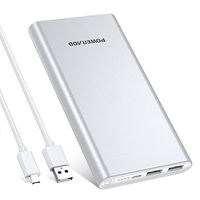
5 71KECb7RmVL. SX679 .jpg USB Powerbank

Amazon

15 €
6 613RrJEZYPL. SL1000 .jpg 16 GByte Micro SD Card

Amazon

5 €

Pictures

First Prototype

SAM 9947.JPG SAM 9949.JPG SAM 9951.JPG Chess34563.jpg

Second Prototype

SAM 9955.JPG SAM 9962.JPG

Installation

see

Projects

  1. PlayChessWithAWebCam
  2. CV_Chess

UCI compatible GUIs

XBoard

see XBoard

Open Source Projects

Commercial

Links

Research

see also

Stackexchange

Videos