Graph Approaches for Software Engineeering

- Title
Graph Approaches for Software Engineering
- Author
- Wolfgang Fahl Wolfgang Fahl info@bitplan.com
- Footer
- Applying the OpenSource Project SimpleGraph and it's modules to Software Engineering
- Subfooter
- sebis Oberseminar TUM

⌘⌘ Wolfgang Fahl[edit | edit source]

| |
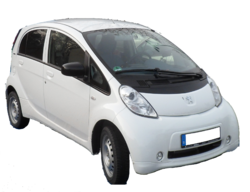 Peugeot Ion |
 Giant Explore |
⌘⌘ Touchable Software Engineering[edit | edit source]
https://www.flanschen-fitting-shop.de/1030-tm_large_default/schraube-m10x35.jpg
⌘⌘ The World as a Graph[edit | edit source]
If the world is represented as a Graph it would be nice to have a Simple Graph Navigation Language

see SMWCon Fall 2018
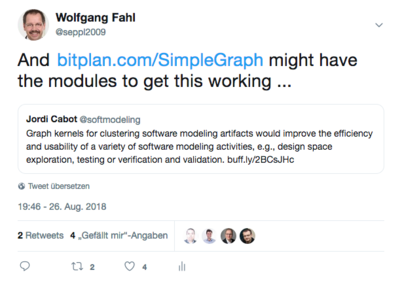
⌘⌘ Why I am here[edit | edit source]
⌘⌘ Prehistory[edit | edit source]
see also PreHistory (clickable)

⌘⌘ Graph Kernels for Model Driven Software Engineering[edit | edit source]
5 Steps
- Decide how the model should be encoded into a graph
- Translate each of the models into a labeled graph
- Select the graph kernel algorithm to be used
- Load all the graphs and compute the graph kernel
- Exploit the information in the kernel matrix
⌘⌘ Use SimpleGraph for the 5 Steps[edit | edit source]
⌘⌘ Step 1: Decide how the model should be encoded into a graph[edit | edit source]
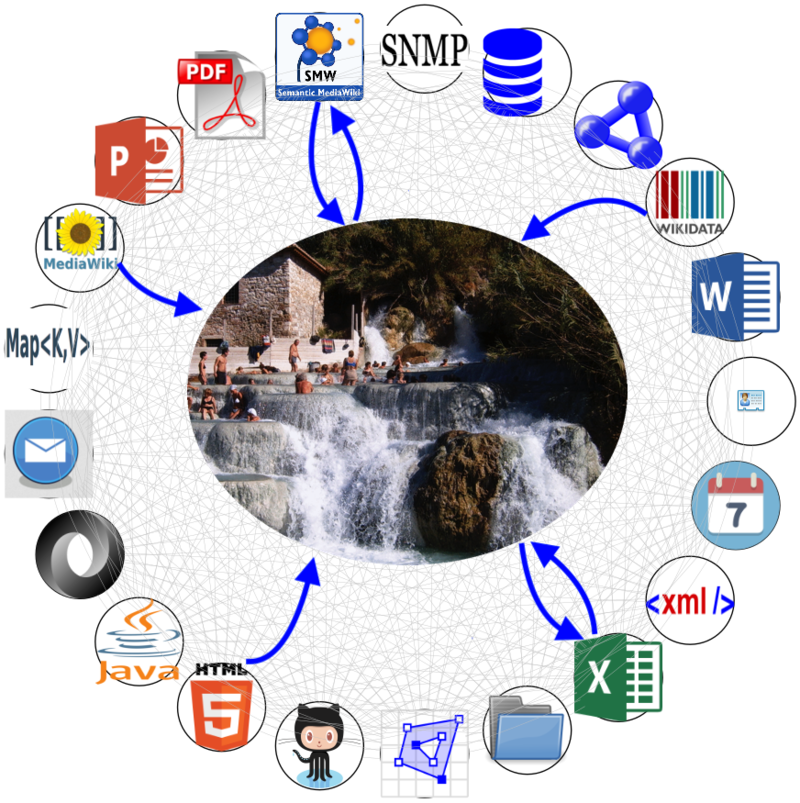
Each SimpleGraph Module transforms data from some API to a Graph representation. The transformation is usually as "straight-forward" or "natural" as possible.
⌘⌘ Step 2: Translate each of the models into a labeled graph[edit | edit source]
Each SimpleGraph Module uses the following steps to translate from an API to the graph
- connect()
- moveTo()
⌘⌘ Step 3: Select the graph kernel algorithm to be used[edit | edit source]
SimpleGraph is based on Apache Gremlin/Tinkerpop so all the algorithm and libraries around this graph environment are directly available. If a different graph kernel and or algorithm is needed than the graph can be translated / imported via standard graph import/export formats and or import/export adapters and utilities.
BITPlan e.g. often uses Semantic MediaWiki  as a suitable environment.
⌘⌘ Step 4: Load all the graphs and compute the graph kernel[edit | edit source]
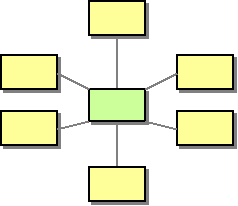
Simplegraph is based on the Hub&Spoke approach. Any combination of modules/API can be applied. Currently there are some 20 different modules to choose from.
⌘⌘ Step 5: Exploit the information in the kernel matrix[edit | edit source]
There are two modes for exploiting the information:
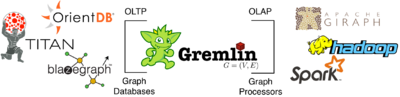
- OLAP - Online Analytical Processing / Graph Query
- OLTP - Online Transaction Processing / Graph Traversal
⌘⌘ What is SimpleGraph?[edit | edit source]
Simplegraph allows to work with "graphized" information source from a combination of APIs that are made available as modules.
| Module | System wrapped | API exposed | Description |
|---|---|---|---|
| File:Folder.svg FileSystem | FileSystem | java.io.File | makes your FileSystem accessible via the Java FileSystem API |
 GitHub |
 GitHub GraphQL Api v4 | makes GitHub content accessible to Graph processing. |
 Java |
 javaparser | makes Java code parse results accessible to Graph processing. |
| File:Email Icon.svg Mail | E-Mail access for rfc822 and MIME formatted Mailbox files (e.g. Thunderbird) | makes Mail data available via Apache Mime4J | |
 SMW |
SMW | SemanticMedia Wiki API | makes Semantic MediaWiki accessible via the SMW API |
| File:Xml logo.svg XML | XML | org.w3c.dom | makes XML dom parse results accessible to Graph processing. |
⌘⌘ What is Apache TinkerPop/Gremlin?[edit | edit source]
Apache Tinkerpop is an Open Source project. Gremlin is the GraphTraversal Language for it.
- OLTP - Online Transaction Processing - Navigation and Processing
- OLAP - Online Analytical Processing - Queries
- - Example - Ancestors of King James
⌘⌘ SimpleGraph Dragtop[edit | edit source]
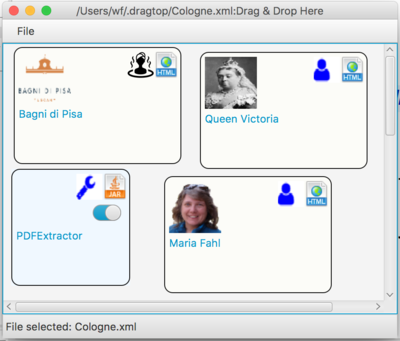
The Dragtop Open Source Software makes the SimpleGraph modules available for direct access from your Desktop. By simple drag and drop of the input onto the dragtop and then dropping a "tool" onto the dragtop you can combine the module functionality as you see fit.
⌘⌘ Example: The 5 Steps in SimpleGraph[edit | edit source]

⌘⌘ Step 1: Decide how the model should be encoded into a graph[edit | edit source]
- .java Source Files: FileSystem module
- Java Classes: JavaSystem
- .class Files: Filesystem module (Bytecode parser?)
⌘⌘ Step 2: Translate each of the models into a labeled graph[edit | edit source]

⌘⌘ Step 3: Select the graph kernel algorithm to be used[edit | edit source]

FileSystem fs=new FileSystem();
FileNode start = (FileNode) fs.connect("").moveTo(aroot.getPath());
start.recursiveOut("files",Integer.MAX_VALUE);
List<Vertex> javaFileNodes=start.g().V().has("ext", "java").toList();
List<Vertex> classFileNodes=start.g().V().has("ext", "class").toList()
⌘⌘ Step 4: Load all the graphs and compute the graph kernel[edit | edit source]
<HTML5video width="960" height="600" controls autoplay="false" loop="false">JavaAnalyzerDragAndDrop2019-02-18</HTML5video>
⌘⌘ Step 5: Exploit the information in the kernel matrix[edit | edit source]
- Visualize
- Store
- Mix and match with other sources
⌘⌘ How to benefit and participate[edit | edit source]
- Stay in touch with Wolfgang Fahl
- Ask StackOverFlow questions on SimpleGraph
- Participate in the GitHub SimpleGraph Open Source Project
- Join the SimpleGraph Mailinglist
- Collaborate on Projects with BITPlan
- Write papers related to SimpleGraph
⌘⌘ Ideas for SimpleGraph future Progress[edit | edit source]

- more Software-Engineering related modules e.g. for Modelling,Requirements Engineering
- more Visualization options e.g. like/with prefuse
- Visualized Editor e.g. like/with blockly
- better integration with other programming languages
⌘⌘ Questions/Discussion[edit | edit source]


